Safety Observation Software: How Formis Safety Observations Work
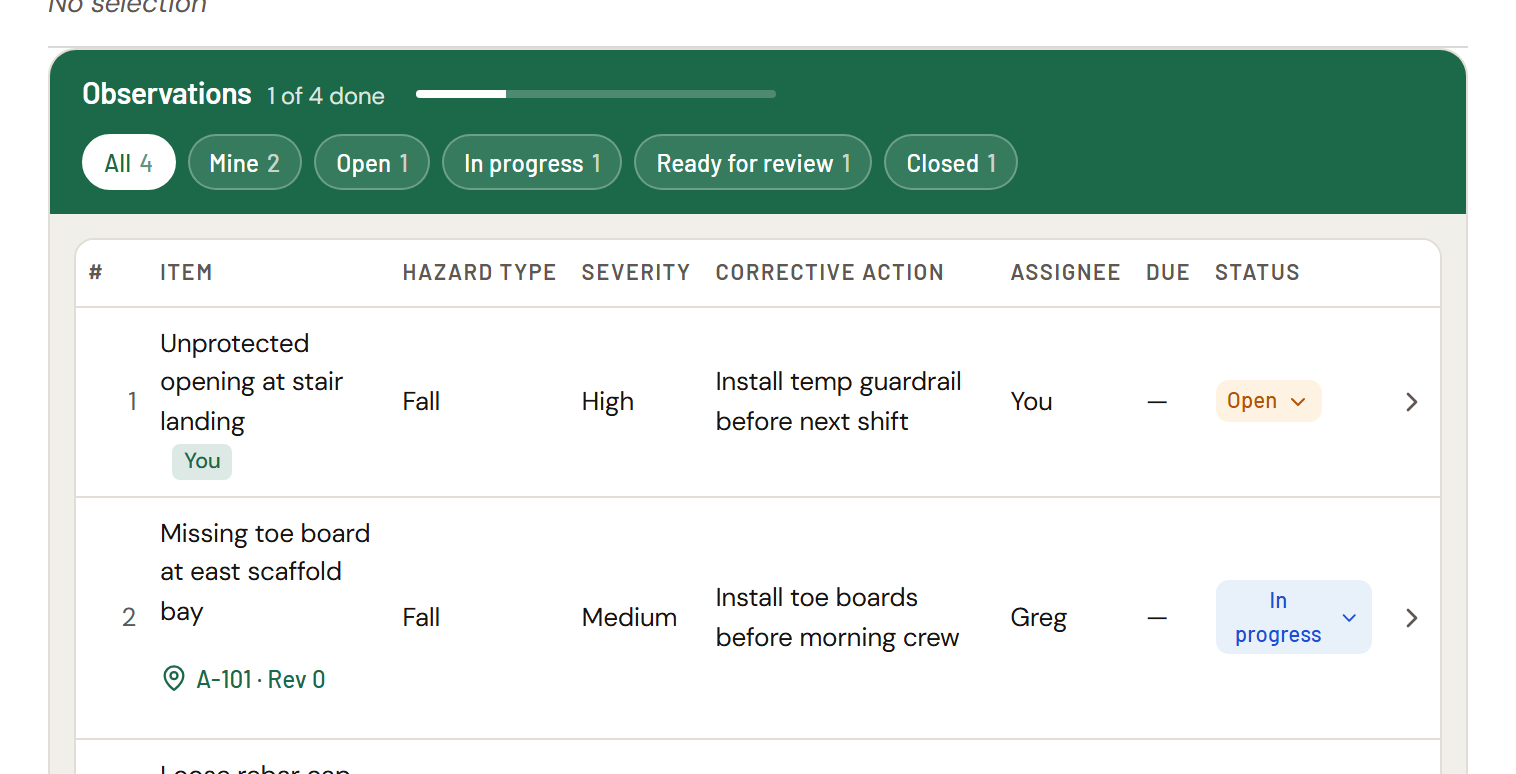
A Formis safety observation is a checklist attached to a form, built from Formis's Task List widget, the same configurable building block behind Punch list, Action items, and any custom checklist a team wants to build. Each observation has a hazard type, a severity rating, a corrective action, and an assignee. When every item is closed, the observer is notified automatically to review and close out the submission.
Safety observation is a starter template, not a fixed feature
Formis is a configurable construction forms and workflow platform. Teams build whatever forms their project needs. Safety observation is one of several starter templates Formis provides pre-built, so a safety program can start tracking hazards in minutes instead of designing a form from scratch. Everything below (the task list, hazard categorization, the review workflow) is the same underlying engine available to any form on the platform, not something exclusive to safety observations.
What goes on a safety observation item
Every item tracks:
- Description: what was observed, in plain language
- Hazard type: Fall, Struck-by, Electrical, Caught-in/between, Chemical, or Other, covering OSHA's "Fatal Four" construction hazard categories plus a general catch-all
- Severity: Low, Medium, or High, so items can be triaged by urgency at a glance
- Corrective action: what was or needs to be done about it
- Assignee: who's responsible for addressing it
- Due date: optional
- Status: Open, In progress, Ready for review, Closed
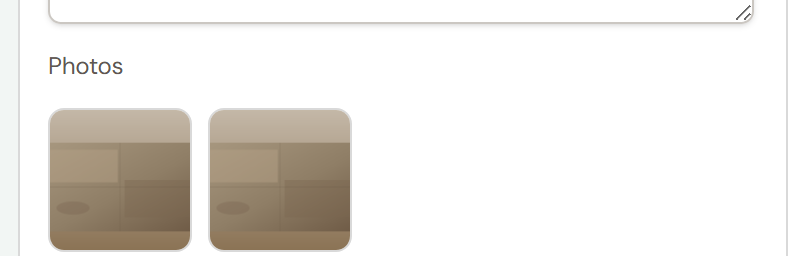
- Photos: as many as needed, appended, never overwritten
- Pin location: an exact spot on a drawing, if the hazard is location-specific
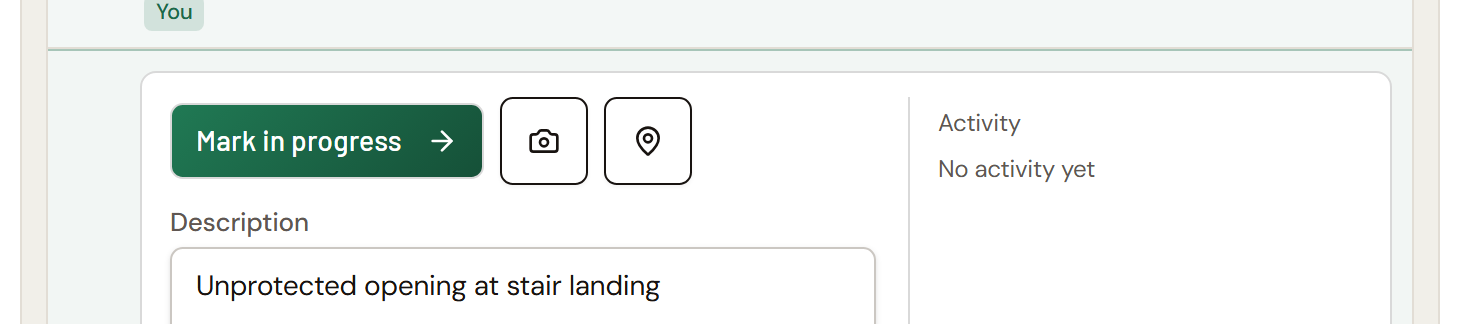
Pinning a hazard to a drawing
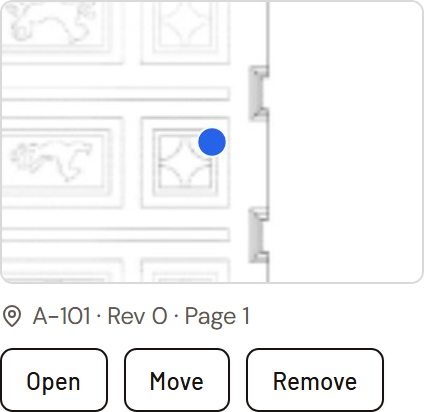
If a hazard is tied to a specific spot on site, an observation item can be pinned directly to that location on a real drawing. Tap the pin icon, choose the drawing, and tap the exact spot. The pin stays linked to that item and that drawing revision. Open it any time to see exactly where the hazard is, move it, or remove it. The pin card on the item shows a thumbnail of the drawing around the pin, with the sheet, revision, and page. From the drawing itself, tap any pin to open that hazard in a side panel with its details and photos. For more detail, see Pinning a Task List item to a drawing.
Documenting a hazard with photos
An observer attaches a photo as evidence of the hazard, or as proof a correction was made. Photos append to a scrollable strip, so the first photo taken doesn't disappear when a second is added. Each photo records when it was taken and, if it was tied to a pin, the exact drawing and coordinates at that moment, even if the pin is later moved.
Who manages a safety observation
Who can do what on a safety observation comes from the Task List widget's settings. Here's how we configured the Safety observation starter template, and you can change any of it in the form designer.
Assignees work their own items and mark them Ready for review once the hazard is corrected. As shipped, they can't close their own items, so every correction is checked by someone else.
Closing, reopening, reassigning, and changing due dates are handled by the person who created the observation, whoever is reviewing it, and anyone holding a Managed by role on the project: Safety Manager, Project Manager, or Backup PM by default. Voiding an item is limited to the Managed by roles and Tenant Admins, and needs a reason, so a reported hazard can't quietly disappear. See Using Task Lists for every setting and what it does.
The starter template also requires at least one item before a safety observation can be submitted.
How closeout works
Marking every item Closed doesn't finish the safety observation by itself. The submission automatically waits until every item is closed, then the observer is emailed to review the actual work. From there:
- If everything checks out, they close the submission.
- If something's still wrong, they reopen the specific items that need more work, with a reason, and then choose Revision Required. That sends the submission back to waiting, and it moves forward to review again on its own once those items are closed. This can repeat as many times as it takes.
Reopening an item on its own doesn't send the submission back. Revision Required does, and it stays greyed out until at least one item has been reopened. See Task List statuses and the review workflow.
When an assignee marks an item Ready for review, the reviewer is emailed about that item right away, so it doesn't sit unnoticed while the rest of the list is still being worked.
Common questions
Can a reported hazard be deleted? Not by the person it's assigned to. Only the Managed by roles (Safety Manager, Project Manager, and Backup PM by default) and Tenant Admins can void an item, a reason is required, and the voided item stays in the list's history.
Is Safety observation the only way to track hazards in Formis? No. Formis is a general construction forms and workflow platform. Safety observation is one pre-built starter template, and every field and its workflow can be reconfigured.
What hazard categories does Formis track by default? Fall, Struck-by, Electrical, Caught-in/between, and Chemical, plus a general Other category. The first four map to OSHA's "Fatal Four" causes of construction fatalities.
How is severity used? Each item is rated Low, Medium, or High so a reviewer can triage the most urgent hazards first instead of working through items in the order they were entered.
Does closing every item finish the safety observation? No. Closing every item triggers an automatic review step. The observer is notified, checks the work, and either closes the submission or reopens specific items for another round.
Can a hazard be tied to an exact spot on a drawing? Yes. Pinning an item links it to an exact location on a drawing revision, the same mechanic used across every Formis Task List starter template. The pin can be moved or removed later without losing the item.
Drawing: Historic American Buildings Survey, Library of Congress.